10 Best Image Compressor Online

Image Compressor Online

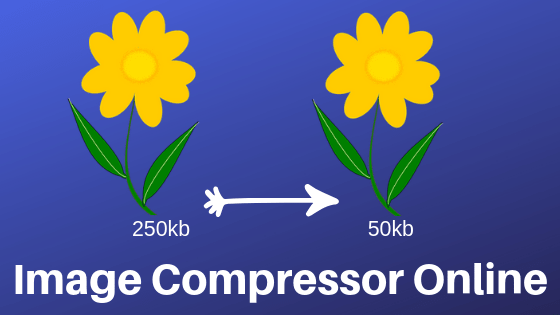
An image expresses thousands of words. In a web site, social media we often use images for better engagement. But the heavy weighted images can reduce our website loading speed time. It also has a direct impact on website user experience.

Before putting Images on our website or any places online we have to think about the image optimization. We need to compress images without losing quality.

In this article, I will explain to you some of my favorite image compressors online that I use every day.

Before going to more details about the tools you have to know your image file type. The reason is if you know the file type then it will help you to select the right image compressor online.

We often use JPEG and PNG images online. Most of we don’t have any ideas about what it is.

What is JPEG: JPEG Stands for Joint Photographic Experts Group who created the standard. JPG is a lossy graphics file.

What is PNG: Png Images have the ability of transparent background. It is the most popular format for the web site and online platform. The best thing is it is a lossless graphics file. PNG stands for “Portable Graphics Format.

KB (Kilobyte): Most of the file size is denoted in bytes, either in kilobytes or megabytes. 1 kilobyte or “1KB” is 1,024 bytes and 1 megabyte, or “1MB” is 1,048,576 bytes.

The image file size is related to quality. So if you have a big image with 5000 hight and 4000 wide with good quality the file size will be big. You can reduce the file size without losing the quality by using the image compressor online.

Online Image Compressor to 20kb


Too many people look for online image compressor with the specific file size like 100 kb 20kb. Jpeg-optimizer.com is one of my favorite tools that can help you to reduce your file size according to your specification. If you want you can compress the image to 100kb 20kb online without downloading any software.

jpeg Image Compressor

If you are looking for JPEG image compressor you have come to the right place. Today you will see best tools that can help you to cut your jpeg image file size.

compressjpeg.com: This amazing tools can help you to decrease your jeg file. This is very easy to use tool, all you have to do is upload the image and wait. Then download the new version of your image.

Jpeg-optimizer.com: This is I mention above one of my favorite tools. You can cut the file size according to your choice. You can also resize the height and wide.

Tiny JPEG: If you want to to a gentle way to compress your jpeg image then this tool is for you. You can compress 20 images maximum 5mb at a time.

giftofspeed.com/jpg-compressor: Another great tool for jpg image file. You can adjust compression label scale wide, height.

PNG Image Compressor


If you are looking for PNG image compressor you have come to the right place. In this section, I will show you how to compress png image online.

Tinypng.com: This is one of the best tools online. This is the fastest and easy way to decrease image size. You can upload 20 images at a time. The image file should not be maximum 5bm.

Compresspng.com: This is one of the easy to use the tool. upload your png file and it will compress your file then download the file.

Ezgif.com/optipng: another great tool for png image compression. They support PNG, APNG, and the largest file size is 35mb.

compress-or-die.com/png: This one also good and easy to use. You can compress images using URL. Largest file size allows 16mb.

JPEG, PNG Image Compressor


There are some tools that offer both jpeg and png image compressor. These tolls are very helpful in some cases. Let’s see some of these tools…

Compressor.io/compress: This is one of the best easy to use tools. All you have to do is upload your image file and download the compressed file. Maximum file size limit is 10MB.

Imagecompressor.com: This website has drag and drops features. All you have to do is upload the file or drag the file and drop it. They will do the rest of work for you.

Compressimage.toolur.com: If you want to apply multiple ways then these tools are for you. It will allow you to upload 25 image files at a time, maximum file size is 35MB. Compressor type you can select normal or progressive. You can also resize the picture using this tool.

I hope you guy’s love this list of image compressor online. If you looking for the best free keyword research tool you can check out my article.


5 Best Free Backlink Checker Tools

Free Backlink Checker Tools

The backlink is one of the powerful Google ranking factors. This is crucial to create a quality backlink. In this article, I will share with you 5 best free backlink checker tools online.

Before going to in details about best free backlink analysis tools there is some term you have to keep on mind. These are

Domain Authority: It is an SEO ranking factor develop by Moz. A Domain Authority score ranges from one to 100, with higher scores corresponding to a greater ability to rank

Page Authority: Page Authority (PA) is a score developed by Moz that predicts how well a specific page will rank on search engine result pages (SERP). Page Authority scores range from one to 100, with higher scores corresponding to a greater ability to rank.

Page Rank: PageRank is a way of measuring the importance of website pages. Google uses page rank as an algorithm for ranking a web page. Page rank ranges from one to 10, with higher scores corresponding to a greater ability to rank.

Dofollow: Dofollow backlink allow google and all others search engines to follow the backlinks. It also provides link juice to our website.

Nofollow: Nofollow link links that don’t provide any link juice and it tells search engines to ignore the links.

Referring Domain: According to Majestic SEO glossary, a referring domain is a domain from which a backlink is pointing to a page or link.

Number of Backlinks: How Many Backlinks this select ted domain has.

Anchor Text: Anchor text or anchor link is a clickable link or visible link in a hyperlink. It’s an SEO ranking factor.

Citation Flow: Citation Flow is a number of predicting how influential a URL might be based on how many sites link to it.

Trust Flow: Trust Flow is a number predicting how trustworthy a page is based on how trustworthy sites tend to link to trustworthy neighbors.

If you have enough ideas about the above metrics then its time to start talking about best free backlink checker tool online.

5 Free Backlink Checker Tools

Serpstat.com/backlinks: If you want to analyze your competitor backlink strategy. Serpstat analysis tools can help you to analyze your competitor’s backlink profile. It will come with a number of backlinks, Number of the root domain, anchor text, link country. It will also show you how no-follow, do-follow links, lost links and more data.

Neilpatel.com: One of my best favorite link research tools is the Neil Patel backlink analysis tool. You will get all the necessary data completely free of cost. This tool will show you all the backlinks, number of backlinks and the referring domain and also the ancore text.

linkminer.com: Its a tool by Mangools. One of the most popular links analysis tools. This tool will display your trust flow, citation flow, number of referring domain, number of IP and Total number of backlinks. Linking page URL, link strength and more.

Ahrefs.com/backlink-checker: One of the best link checker tool that I love most. You can check any web site backlink using this tool. It will show you top 100 powerful backlinks, top 5 pages, and top 5 anchor text.

Monitorbacklinks.com: If you want to discover and watch your competitor backlink then these tools can help you. I will show you a total backlink, citation flow, trust flow, anchor text, link URL and more.

Smallseotools.com/backlink-checker: This tool is 100% free backlink checker tool. If you want to know your competitor all the links source, their anchor text, and link type then this tool is for you. Besides that, it will show you the number of backlinks, Referring domain and IPs.

I hope, you guys got the ideas about these free backlink checker tools. Start using any of these tools and analyze your competitor backlink profile. Finally, build quality backlinks. Happy link building.

Categories SEO

5 Best PPC Competitor Analysis Tools

PPC Competitor Analysis Tools

If you are looking for a blog post that can help you to know your competitor best ads, keywords that provide the best value. You have come to the right place.

Today I will show you, your best competitor advertising data. There top ads, Keywords, and the best display ads.

Search engine like Google can help you to know that your competitor doing advertising or not. It will show you some basic data. There are some tools that can provide you a lot more details about your competitor.

Five best PPC Competitor analysis tool that can help you to know your competitor strong and week point.

Spyfu: This is one of the best tools that I love most. This tool will display you your competitor best ads. The number of visitors they get, their paid keyword list, advertising history and you will also get their best ads copy.

keywordspy.com: An amazing tool for PPC and keyword competition analysis tool. You can analyze a domain, keyword, specific URL and ad copy. You can also get country-specific data. This keywordspy will show you your competitor number of ads, their ads copy, paid keywords and organic keywords.

ispionage.com: This is a tool that can help you to identify which search engine works better for your competitor. Most of the PPC competitor tools collect data from Google, But this tool will display data from google, bing, and Yahoo. You will also get Google PPC Keywords, Bing/Yahoo! PPC keywords, Avg. Ad Position, top ads, and copy the keyword list and more.

Semrush: The best and more accurate tools that I love most is Semrush. This is not only popular for PPC competition but also popular in SEO competition. You will get country-specific data, language-specific data. It will also display you your competitor top ads, best performing keywords, paid keyword list and more.

Adbeat.com: This competitor analysis tool is different than other competitor analysis tool. This one will show you your competitor display ads data. You will see their, Standard Ads, Native Ads, Video Ads, and Landing Pages.

Now its time to take the decision. These are the most popular PPC competitor analysis tools right now. You can use google search to get basic data. If you want to know their best ads, ads copy, keyword list, the landing page you can use any of the above tools.

You can checkout my others post about best free keywords research tools. Image compressor tools.

Categories SEO

5 Best Free Online SEO Competitor Analysis Tools

SEO Competitor Analysis Tools

Competitor analysis is one of the most important parts of successful online marketing. If you want to rank your site on the major search engine you have to do proper keyword research.

In this post, I will explain to you 5 best free SEO competitor analysis tools, that will help you to get the first page of google. Before going to the details of the tools you have to know some most important metrics.


Search Volume:   every keyword research and competitor analysis tools come with this term. It will show you the number of monthly search for your given keyword. 


For example, if you found a keyword that has 1500 search volume. That means every month 1500 people look for this keyword.


Trend: This represents the last 12-month search volume for a keyword. This can help you to discover the keyword search variation over the year. It is also used for finding seasonal keywords.


SERP Overview: SERP stands for Search Engine Ranking Page. SERP will display you who is already ranking for your given keywords.


Keyword Competition: Keyword competition defines as how competitive this keyword is. The competition number start with 0-100. 


If you found a keyword that shows competition score 10 then it is less competitive. If you found a keyword competition score is 100 then it is more competitive. 


Domain Authority (DA): It represents how authoritative that domain is. DA calculated from 0 to 100. Every domain starts with domain authority 0. Day by day the got popularity and the domain authority start increased. Domain authority is a domain label value. 


Page Authority (PA): Page authority is something like domain authority.   PA calculated as a page label. 


The Number of Backlinks: Not every tool will show you this data. Some tool will show you how many backlinks your competitor has. 


Citation Flow: Citation Flow is a number of predicting how influential a URL might be based on how many sites link to it. 


Trust Flow: Trust Flow is a number predicting how trustworthy a page is based on how trustworthy sites tend to link to trustworthy neighbors.


Paid Difficulty: Estimated competition in paid search. Higher the number the more competitive. 


SEO Difficulty: Estimated competition in organic search. Higher the number the more competitive


Estimated Monthly Visit: How many monthly visitors this domain get from major search engine like Google, Yahoo, Bing. 


Once you have ideas about all of the matrices I mention above, Now its time to start the competitor analysis process.


Two way you can start your SEO competitor analysis process by using your competitor URL or typing your main focusing keywords.


If you already know your competitor then it is very easy to start the process. If you are new and you have no ideas who is your main competitor then it is a little bit harder. I will explain to you both of the situations. By using this following tools you can define your competitor strong site and week point. At the same time, you can easily configure your opportunities.

SEO Competitor Analysis Tools


kwfinder.com: This is one of the best tools that I love most. In this tool, you can easily analyze a keyword and also a domain. It will provide you country-specific data and also have a language option. You will find related keywords, trends, search volume, keyword difficulty, CPC, SERP overview and more. This tool is premium they have 10 days free trial. 


serpstat.com: The growth hacking tool for SEO, search analytics, PPC, content marketing and more. This tool will provide you search volume, paid competition, keyword difficulty score related keywords, keyword trends, domains with the keyword in the title, pages with a keyword in the title. You will also get the top competitor list on the given keywords. 


Keyword Revealer: One of the most popular and easy to understand keyword and competitor analysis tool. This tool will show you Keyword Ideas, Monthly Volume, Volume Trends, Cost Per Click, Difficulty and SERP overview.

 
Ubbersuggest: Another most popular free SEO competitor analysis tool. It was a free keyword ideation tool. Neil Patel makes it more valuable. Now it is one of the best free SEO analysis tools. It will give you keyword data based on country. Ubbesuggest also provides you trend, search volume, CPC, Keyword Difficulty, SERP overview, Estimated visit and number of backlink. The best part of this course is it is completely free. 


Semrush: The best and more accurate tools are Semrush. This is not only popular for SEO competition but also popular in paid competition. You will get country-specific data, language-specific data. It will also display all the advertising of your competitor. 

Hopefully, all of you love these tools. You can check out my 5 best free keyword research tools also.

Categories SEO

What is Google Drive? How Does It Work?

What is Google Drive
What is Google Drive?

Google drive is one of the widely use of internet or online storage. Whatever file folder you have you can store all of your data in there. People have a variety of question about Google Drive. In this article, I will answer most of the question that I found on the internet. 

What is Google Drive?


Google drive is one of the most popular file storage service developed by Google. Anyone can use google drive and google provide 15GB free space for a lifetime.

When Google Launched Google Drive?


Google launched Drive on April 24, 2012, Google Drive allows users to store files on their servers, synchronize files across devices, and share files.

Is it Free for Life Time?

This is a free service but if you want to use more than 15GB then You have to buy space on the drive.

Sinning up for Google Drive


For Google Drive, you need a google account. visit google.com. A wizard will walk you through the process.

After creating a Google account you have three ways to use 15GB storage on Google Drive these are using the browser, Desktop app and mobile app.

Let’s talk about …

How to Use Google Drive Using Browser

All of you know that we can use google drive in three different ways. The best way I think is using the browser. Most of the major browser allow this if you want to use drive using a browser you have to visit drive.google.com. In here you will see the features. 

My Drive: access your stored files , and folders

My Computer: see what computers are synced

Shared with Me: access files That some other people shared with you

Recent: access recently used files

Google Photos: access your photo library

Starred: view files and folder tagged for the importance

Trash: access your recycle bin the file that you have already deleted

Backups: access your backups

Upgrade Storage: buy more cloud storage

These are the main menu. Now we are going to talk about more details about these menus. 

My Drive: This is the primary folder. Whenever you log in to your account this is the place you will see all of your file folders are here. 

My Computer: you can synchronize and backup all of your computer files. To do this you have to ling the desktop app. We will cover this part later. 

Shared with Me: Drive have shared option, Any file folder you can share with your friend and family. If someone shares the file folder with you, you can find those share documents in this tab.

Recent: In this tab, you will see your recent worked file and folder. If you work with google sheet and docs you will get all of these things. 

Starred: If you think some file or folder is most important you can make them starred. Once you make a file Starred you will see or find those file in here. 

Trash: In this tab, you will get all of your deleted file and folder. 

Google drive has an app for desktop if you want to use you have to download the app. Then install on your computer and enjoy.

Drive also offers an Android app. You can download the app from the play store. Download and install on your android mobile. 

Hope you enjoy this article if you have any question about google drive feel free to comment.